
Search
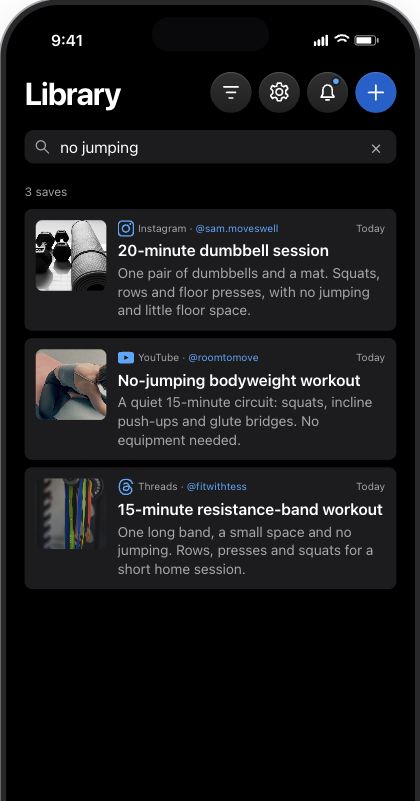
Find a save from the details you remember. Search for “no jumping” to find saved workouts, without remembering their titles or which app they came from.
 valin.ai
Valin finds the useful details in your saved videos, posts, links, photos and PDFs. Find them again when you need them.
All on your iPhone.
Interactive demo · No download needed
Why Valin exists
A useful detail can be buried in a note, a reel, a video, an X post, a thread or that article you saved for later. You remember saving it, but not the app, the title or the exact words.
Maybe you messaged it to yourself or sent it to your partner. But which app was it in? Now you’re searching chats, bookmarks and videos for something you already found.
You save it in a second. You find it in a moment. Valin keeps everything in between.
Valin does all its thinking on your iPhone, so your library is yours the way a notebook is.
Ask for quick dinner ideas. Valin brings together relevant recipes from your saves, with sources you can check.
Give me 5 ideas for a quick dinner.
Five ideas from saved recipes, with a source for each one.
Scripted demo with fictional saved items. No live AI runs on this page. In Valin, answers come from your own library, on your iPhone.
Revisit the slides in a carousel, read the messages in a saved thread, or turn a recipe into ingredients and steps.
Original post
Saved in Valin · Tap to explore
 Explore this example
Illustrated examples. Social posts and hotels are fictional. No live AI in this preview.
 Instagram
 Safari
 Chrome
 Threads
 X
X YouTube
 Substack
 Notes
Notes Voice Memos
 Reddit
 Facebook
 LinkedIn
Once the models and saved content are on your iPhone, Ask, Search, Reading and the rest of Valin work offline.
Find a save from the details you remember. Search for “no jumping” to find saved workouts, without remembering their titles or which app they came from.
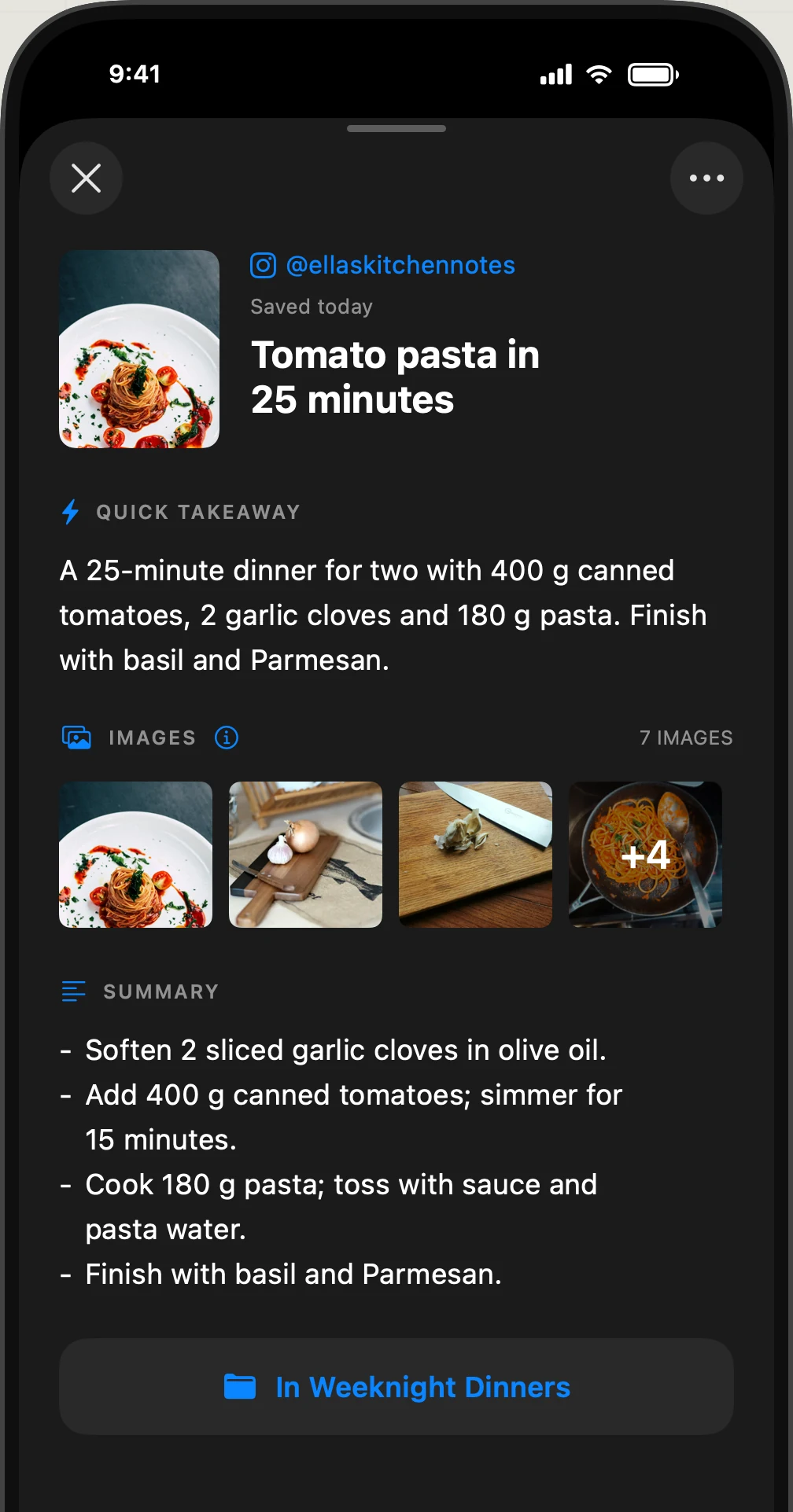
Get the main point without rereading the whole article or replaying the video. The summary is there when you need more detail.
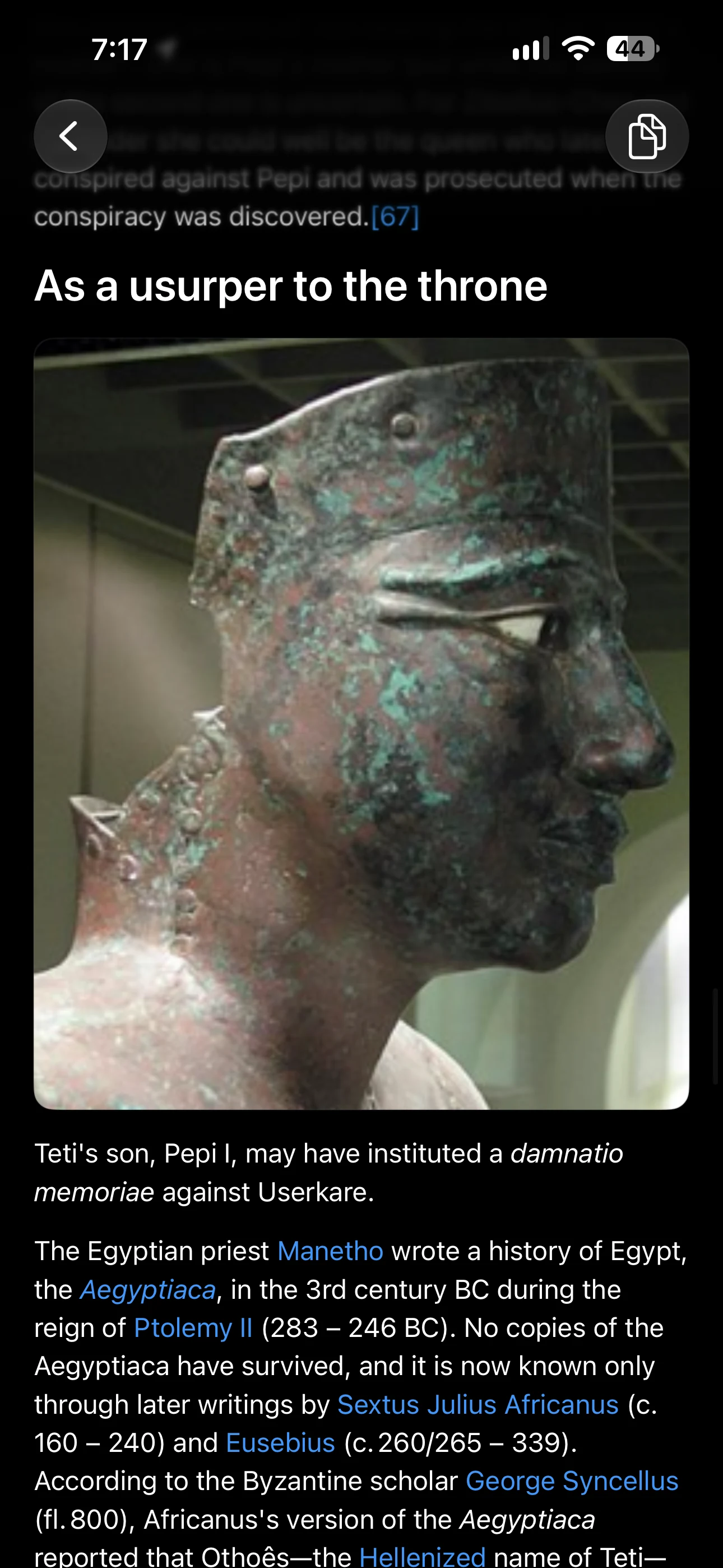
Read saved articles without an internet connection. Keep the text and images together in a clean reader.
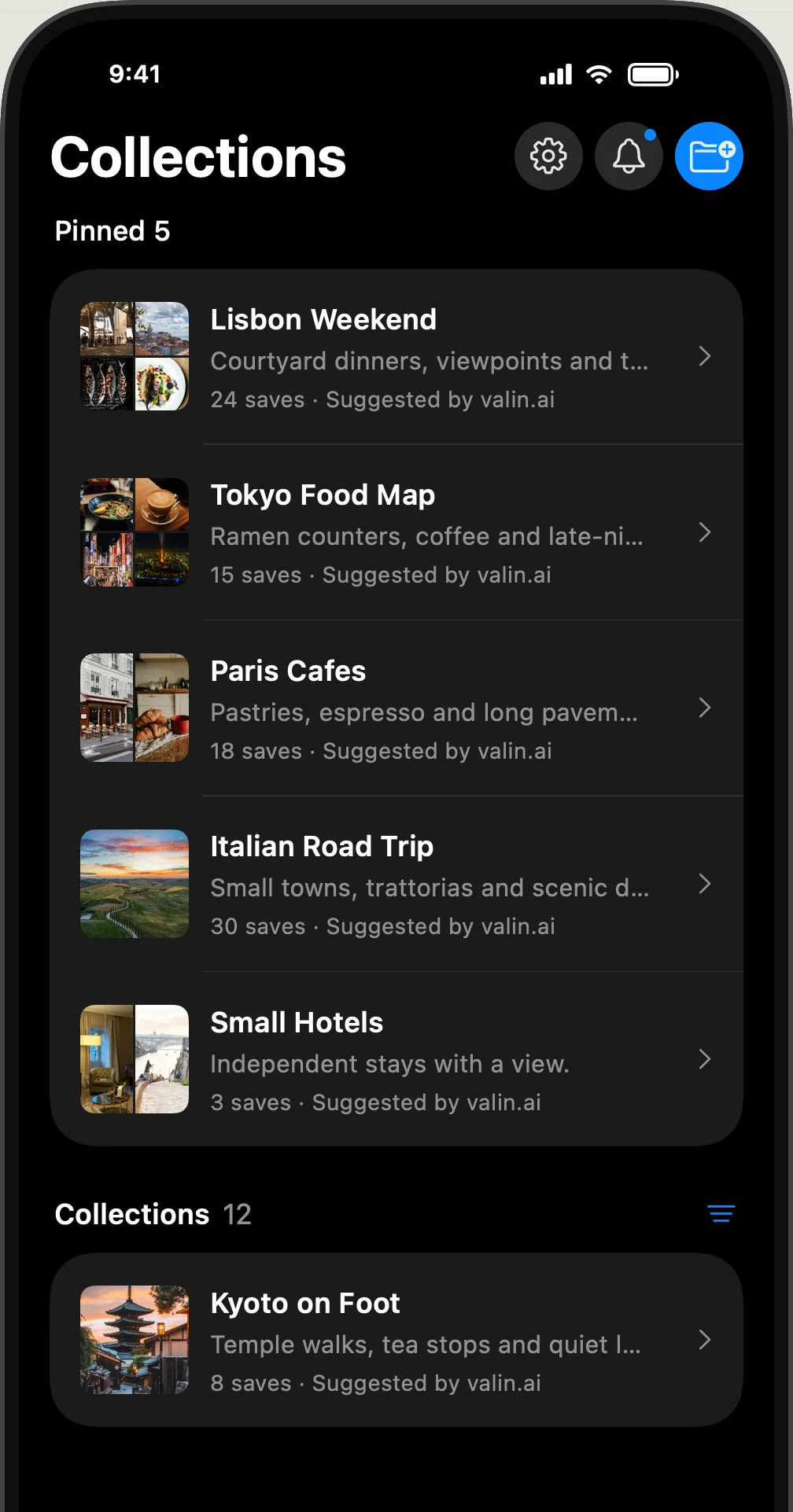
Save first, without choosing a folder for every item. Valin suggests collections for related saves.
Keep or dismiss each suggestion, or create your own collection. You choose whether Valin adds matching saves automatically.
Cook from the ingredients, quantities and steps in your saved recipe, without pausing and rewinding a reel to find each instruction.
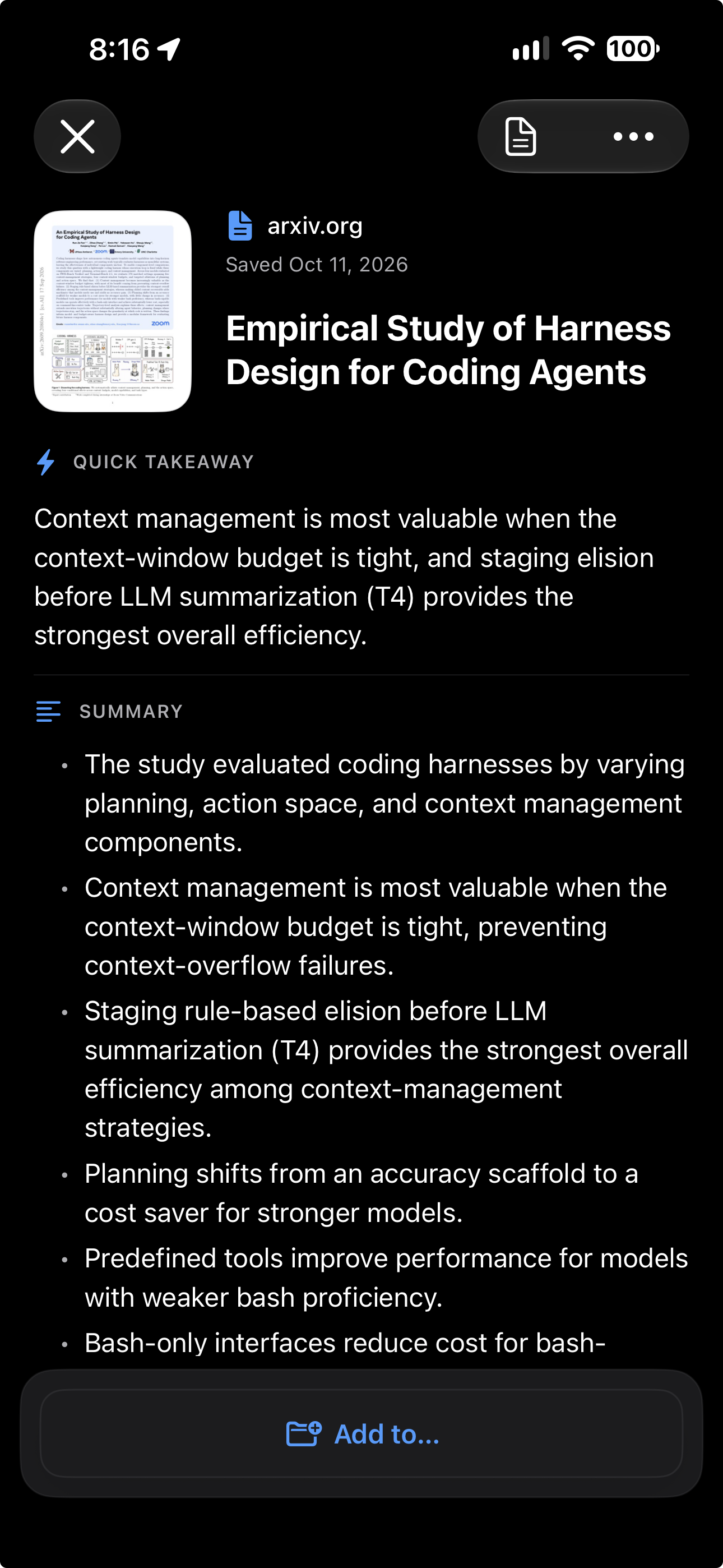
Get an overview of a paper or guide before working through every page. Read the takeaway and summary, then ask about the details you need.
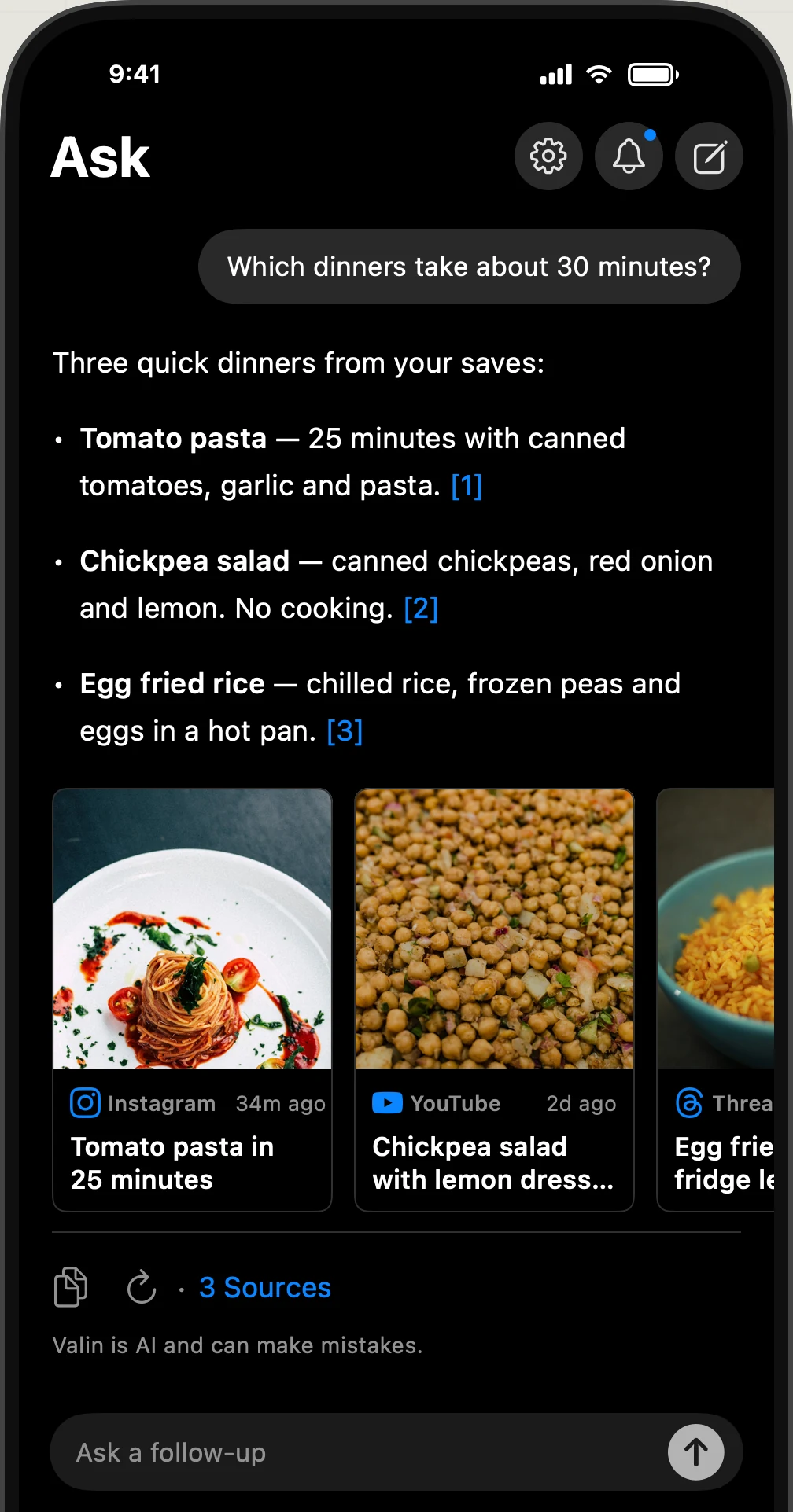
Find ideas across several saves, from quick dinners to quiet workouts. Each answer links to the saved items it uses.
Try Ask with sample itemsSee how Valin turns a saved reel into something you can search and ask about. Scroll through the steps or choose one.
In Instagram, Safari or another supported app, tap Share and choose Valin. Tap Open and keep Valin open while it processes your save.Videos, posts, links, photos and PDFs.
Find details you might miss on a quick watch. Valin checks the video frames, transcribes the audio and reads the caption.
Valin extracts names, quantities, timings and instructions from the text and speech, so you can find them without replaying the video.
Return to the useful part without replaying the reel. The takeaway, summary, recipe ingredients, steps and images stay together in one saved item.
All AI processing runs on your iPhone. Your saved library stays on your device, too.
Valin processes your saves and answers your questions on your device.
Start saving without creating a Valin account.
Offline once you’re set up. Ask, Search, Reading and the rest of Valin work offline once the models and saved content are on your iPhone. Internet access is needed to retrieve new source content, download models or open original websites.
Save videos, posts, links, photos and PDFs. Share from Instagram, Safari, Chrome, Threads, X, YouTube, Substack, Notes, Voice Memos, Reddit, Facebook, LinkedIn and more, or import photos from Photos and PDFs from Files on your iPhone. Search your saves, read their summaries or ask questions about them.
Valin reads on-screen text from video frames and images, transcribes the spoken audio, and uses the available text to pull out useful details. That can include ingredients, instructions, places or ideas. The AI processing happens on your iPhone.
Yes. Valin runs AI processing on your iPhone and keeps your library there. An internet connection is needed to retrieve source content and download the AI models.
Yes. Once the models and saved content are on your iPhone, Ask, Search, Reading, summaries, recipe extraction and collections all work offline.
You still need an internet connection to retrieve new source content, download models or open original websites.
All AI computation happens on your iPhone. Analyzing videos, transcribing audio and generating answers use extra power, so your battery can drain faster while Valin is processing.
For best performance, keep Valin open in the foreground while it extracts and analyzes new items. iOS can limit background processing. For a large batch, consider plugging in your iPhone.
Gemma 4 (E2B) · about 2.59 GB
Powers summaries, recipe extraction and Ask, and names collections.
Whisper (Small, via WhisperKit) · about 489 MB
Turns spoken audio into text.
EmbeddingGemma (300M) · about 349 MB
Finds related items by meaning.
These are approximate download and installed model-file sizes: about 3.43 GB in total. Allow extra free space for installation, caches and what you save.
These models run locally. You can see their download status and details in Settings > Intelligence. An internet connection is needed for the initial model downloads.
No Valin account is needed. Share from the apps you already use, or import photos and PDFs from your iPhone.
Most saves work as expected. Some private posts or content behind a sign-in or subscription may not be accessible to Valin.
From your own saved material. Ask includes numbered citations and source cards so you can check the original context. AI can make mistakes. Open a citation to check the source.
Requires iOS 26 or later and an iPhone 15 Pro, iPhone 15 Pro Max, or a newer compatible iPhone. Install the beta through TestFlight. The AI model files use roughly 3.43 GB, with extra free space needed for installation, caches and your saves. Processing uses battery and works best with Valin open. Visit the app page for the beta link and installation details.


